
Lab 1: Artemis Setup
Objective
The objective of this lab was to learn how to work with the Artemis Redboard Nano microcontroller board. To do this, the lab was divided into two parts:
- Lab 1A covered setting up the Arduino IDE and basic microcontroller operation.
- Lab 1B focused on connecting the Artemis to a computer over Bluetooth and using Python to send commands.
Lab 1A
Prelab
The prelab for Lab 1A was to install the Arduino IDE and configure it to work with the Artemis. After installing the IDE, I set up the SparkFun Apollo3 board manager.
In Lab
1. USB Connection & Troubleshooting
With the board manager installed, I attempted to connect the Artemis to my computer.
I ran into significant driver issues during this step. My laptop, running Linux Mint 21, refused to detect the Artemis as a USB device. I attempted to update the CH340 drivers, but the board remained undetected. To proceed with the lab, I temporarily switched to a Windows 11 partition where the device was recognized immediately. Later, I confirmed that upgrading my Linux Mint install to version 22 completely resolved the USB detection problems.
2. Blink Example
With the connection established, I flashed the board with the Blink example to ensure programmability. The onboard LED blinked as expected.
3. Serial Communication
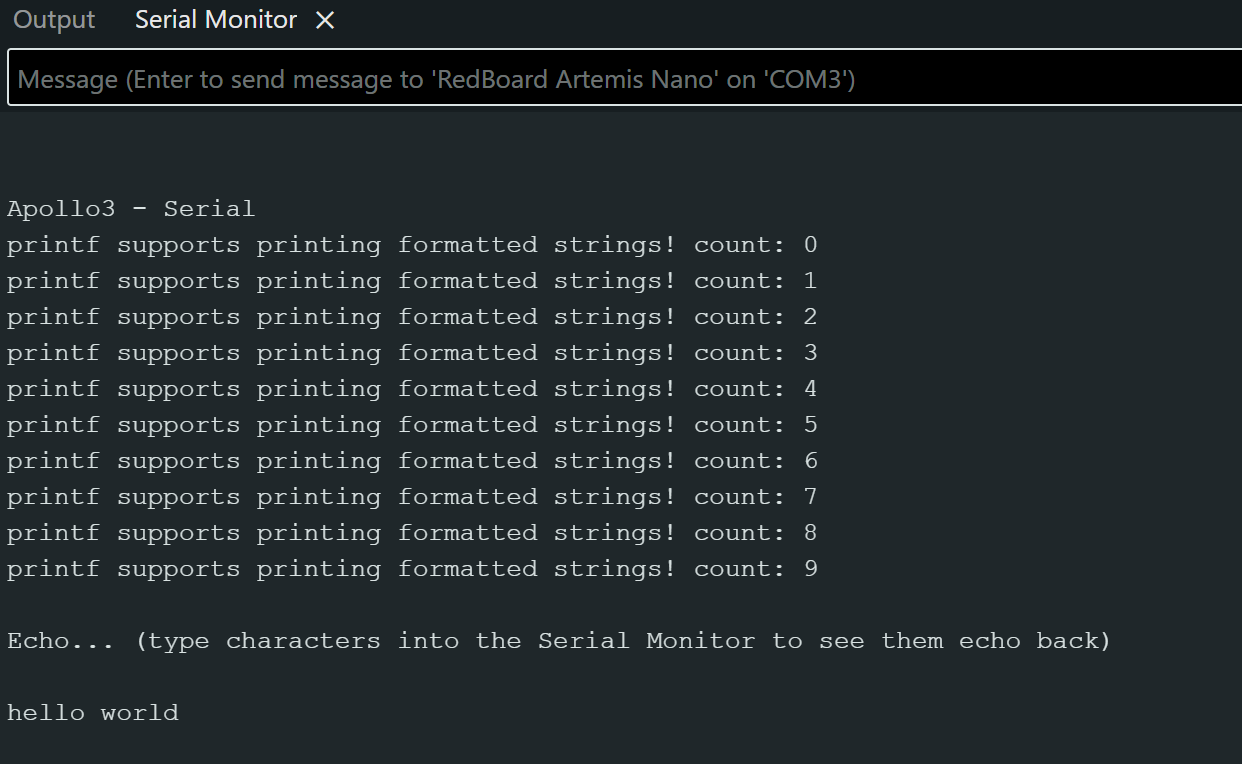
Next, I ran the Serial example to verify bidirectional communication.
4. Analog Read (Temperature Sensor)
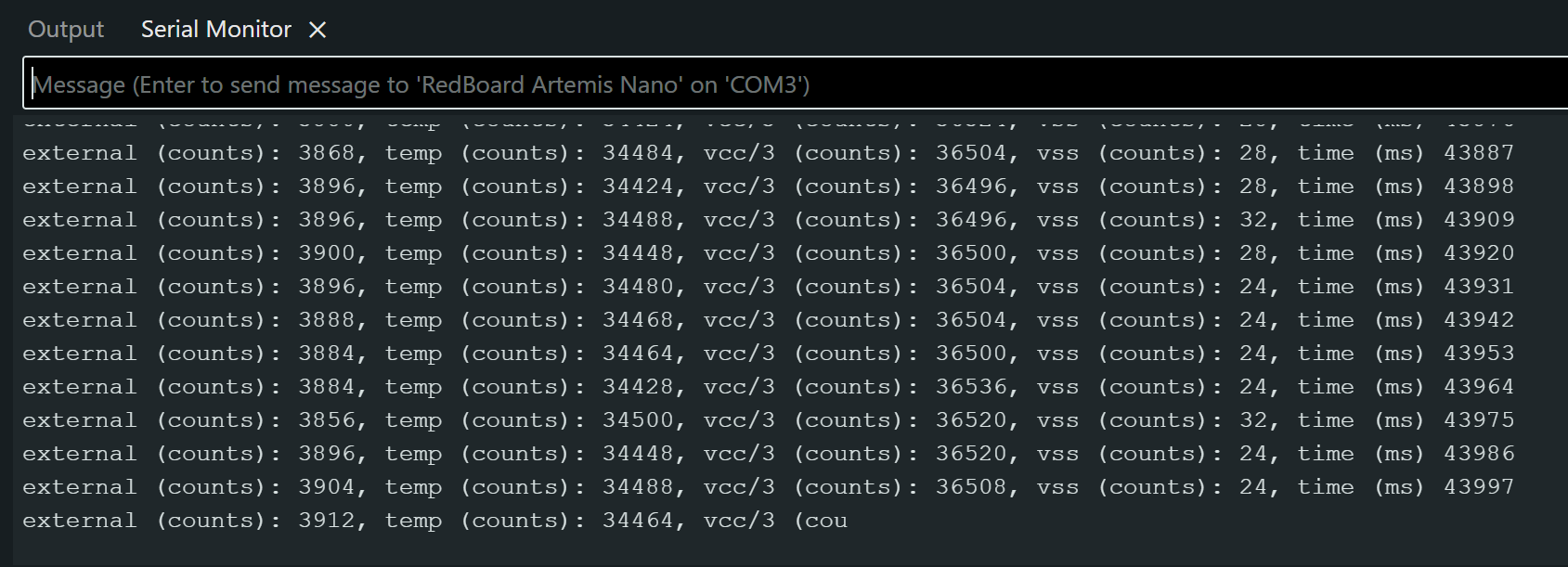
I ran the analogRead example to test the internal temperature sensor. I observed the serial output and verified that the temperature reading increased when I applied body heat to the chip.
5. Microphone Output
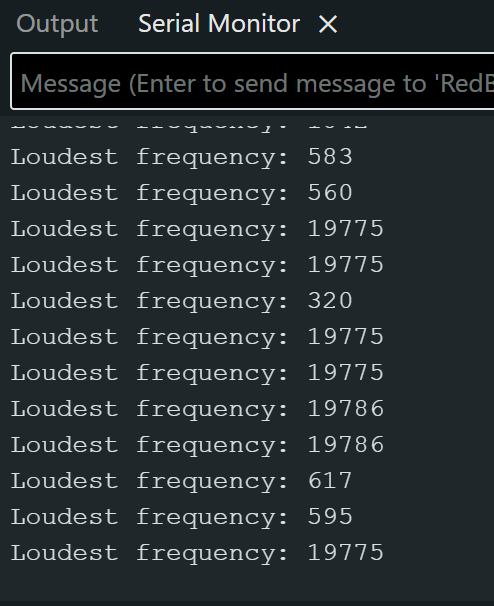
Finally, I ran the MicrophoneOutput example to demonstrate the PDM microphone functionality. This program outputs the loudest frequency detected.
Additional Task (5000-level)
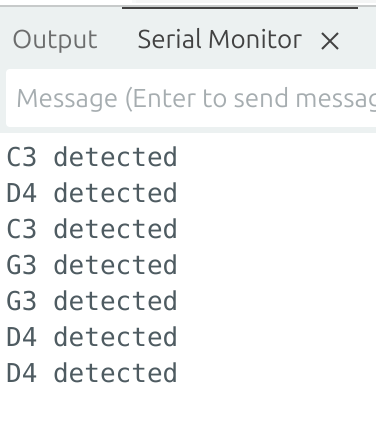
As an ECE5160 student, I had an extra task: create a simple electronic tuner using the microphone to detect C3, G3, or D4.
The program uses Goertzel filters on the PDM microphone data. The Goertzel algorithm is similar to an FFT but looks at specific target frequencies rather than the entire spectrum, making it efficient for detecting single notes. I implemented logic to detect notes based on spectral dominance (the note must be significantly louder than the others) and hysteresis.
Goertzel Filter Code (click to expand)
// Code generated by ChatGPT
float goertzel_power_exact(const int16_t* x, int N, float f0, float fs)
{
    float w = 2.0f * PI * f0 / fs;
    float coeff = 2.0f * cosf(w);

    float q0 = 0, q1 = 0, q2 = 0;
    for (int n = 0; n < N; n++) {
        q0 = coeff * q1 - q2 + x[n];
        q2 = q1;
        q1 = q0;
    }

    return q1*q1 + q2*q2 - q1*q2*coeff; // power at f0
}

// Measure energy at each target note using Goertzel
float pC3 = goertzel_power_exact(x, N, NOTE_C3, fs);
float pG3 = goertzel_power_exact(x, N, NOTE_G3, fs);
float pD4 = goertzel_power_exact(x, N, NOTE_D4, fs);

// Detect note presence using absolute thresholds and dominance
if (pC3 > ABS_C3) {
    detected = NOTE_C3;              // prefer fundamental
}
else if (pG3 > ABS_G3 &&
         pG3 > DOMINANCE_RATIO * (pC3 + pD4)) {
    detected = NOTE_G3;
}
else if (pD4 > ABS_D4 &&
         pD4 > DOMINANCE_RATIO * (pC3 + pG3)) {
    detected = NOTE_D4;
}
Lab 1b
Prelab
The prelab for Lab 1B was to install Python and Jupyter Notebook on my computer, as well as read about Bluetooth Low Energy.
In Lab
1. Updating MAC Address and UUID
Once the Jupyter Server was running and I had the example code, I had to updated the connections.yaml file with my Artemis board’s MAC address. The MAC address is a unique 12-digit hex address used to identify a board (or other device). I also had to generate a new UUID for Bluetooth communication, and upload that to the board. A UUID is part of the Bluetooth communication protocol, and is a unique value. By knowing the MAC address and UUID, I can make sure that I only connect to my Artemis board instead of my classmates.
2. Bluetooth Echo
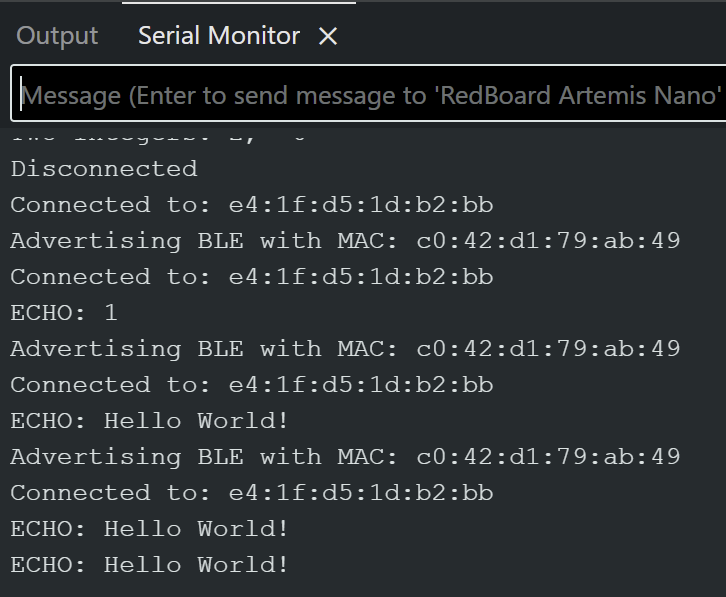
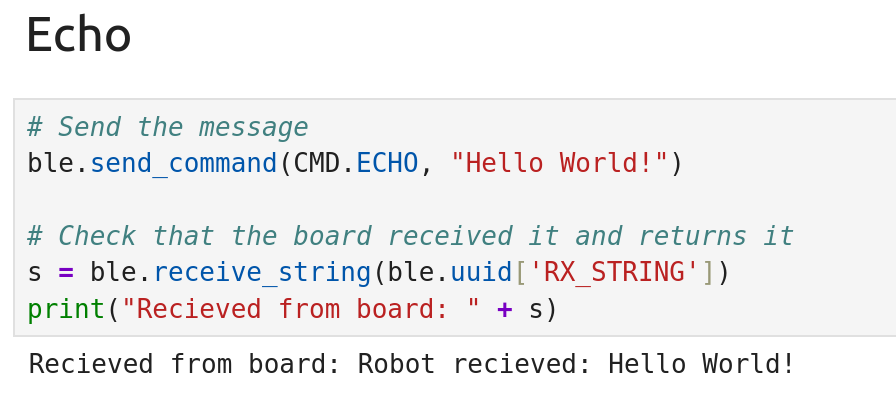
After setting up my Bluetooth, I tested the connection from Jupyter to the Artemis using the ECHO command. This command sends a string to the Artemis, and then the Artemis sends the string with some modifications back. The outputs from both the board and Jupyter can be seen in Figures 5 and 6.
Echo Code (click to expand)
case ECHO: {

    // Extract the next value from the command string as a character array
    success = robot_cmd.get_next_value(char_arr);
    if (!success)
        return;

    Serial.print("ECHO: ");
    Serial.println(char_arr);

    EString temp_string = EString();
    temp_string.clear();
    temp_string.append("Robot received: ");
    temp_string.append(char_arr);


    tx_estring_value.clear();
    tx_estring_value.append(temp_string.c_str());
    tx_characteristic_string.writeValue(tx_estring_value.c_str());

    break;
}
3. Send Three Floats
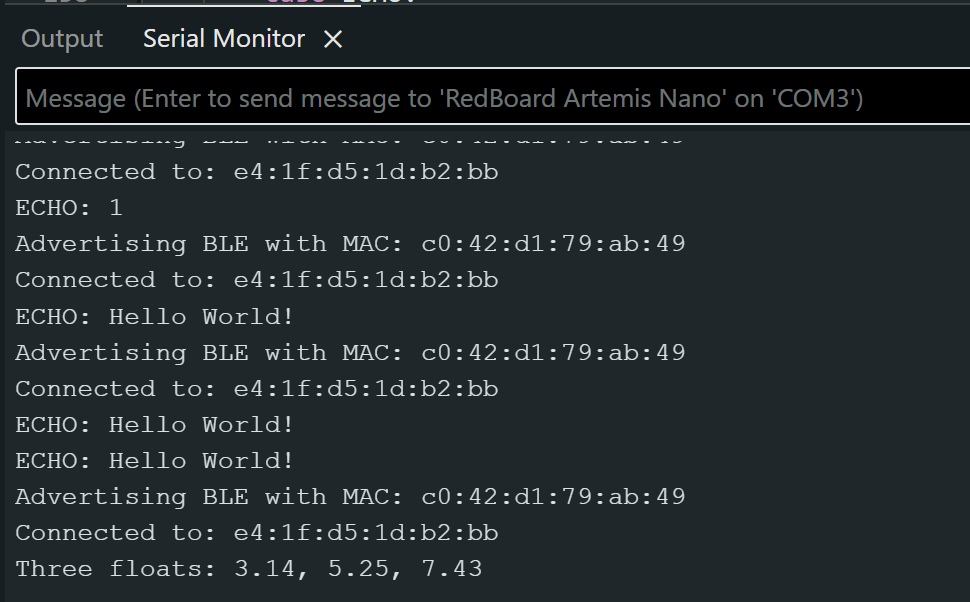
After verifying that the ECHO command works, I used the SEND_THREE_FLOATS command to send three floats to the Artemis. The Artemis then had to verify that three floats were sent, and extract them as floats. The serial output of the SEND_THREE_FLOATS command are in Figure 7.
Send Three Floats Code (click to expand)
case SEND_THREE_FLOATS:

  float float_a, float_b, float_c;

  // Extract first float from command string
  success = robot_cmd.get_next_value(float_a);
  if (!success)
      return;

  // Extract second float from command string
  success = robot_cmd.get_next_value(float_b);
  if (!success)
      return;

  // Extract third float from command string
  success = robot_cmd.get_next_value(float_c);
  if (!success)
      return;

  Serial.print("Three floats: ");
  Serial.print(float_a);
  Serial.print(", ");
  Serial.print(float_b);
  Serial.print(", ");
  Serial.println(float_c);


  break;
4. Get Time Millis Command
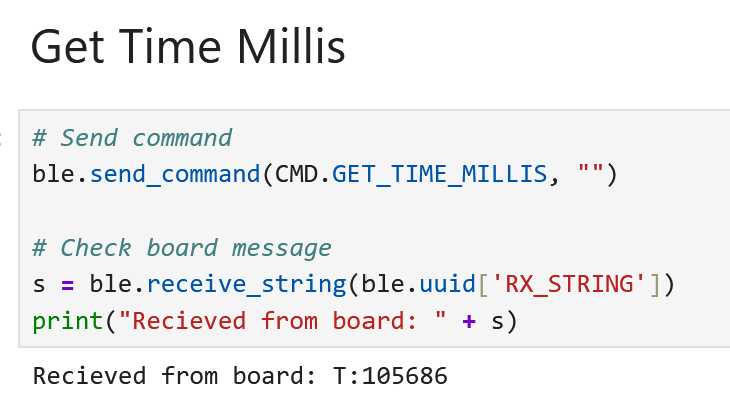
With the SEND_THREE_FLOATS command working, I then had to add the GET_TIME_MILLIS command to get the current time from the robot. The millis() command gets the amount of time that has passed since the Artemis turned on, in milliseconds. Figure 8 shows Jupyter recieving the time from the robot.
Get Time Millis Code (click to expand)
case GET_TIME_MILLIS:

  snprintf(char_arr, MAX_MSG_SIZE, "T:%lu", millis());

  tx_estring_value.clear();
  tx_estring_value.append(char_arr);
  tx_characteristic_string.writeValue(tx_estring_value.c_str());

  break;
5. Notification Handler
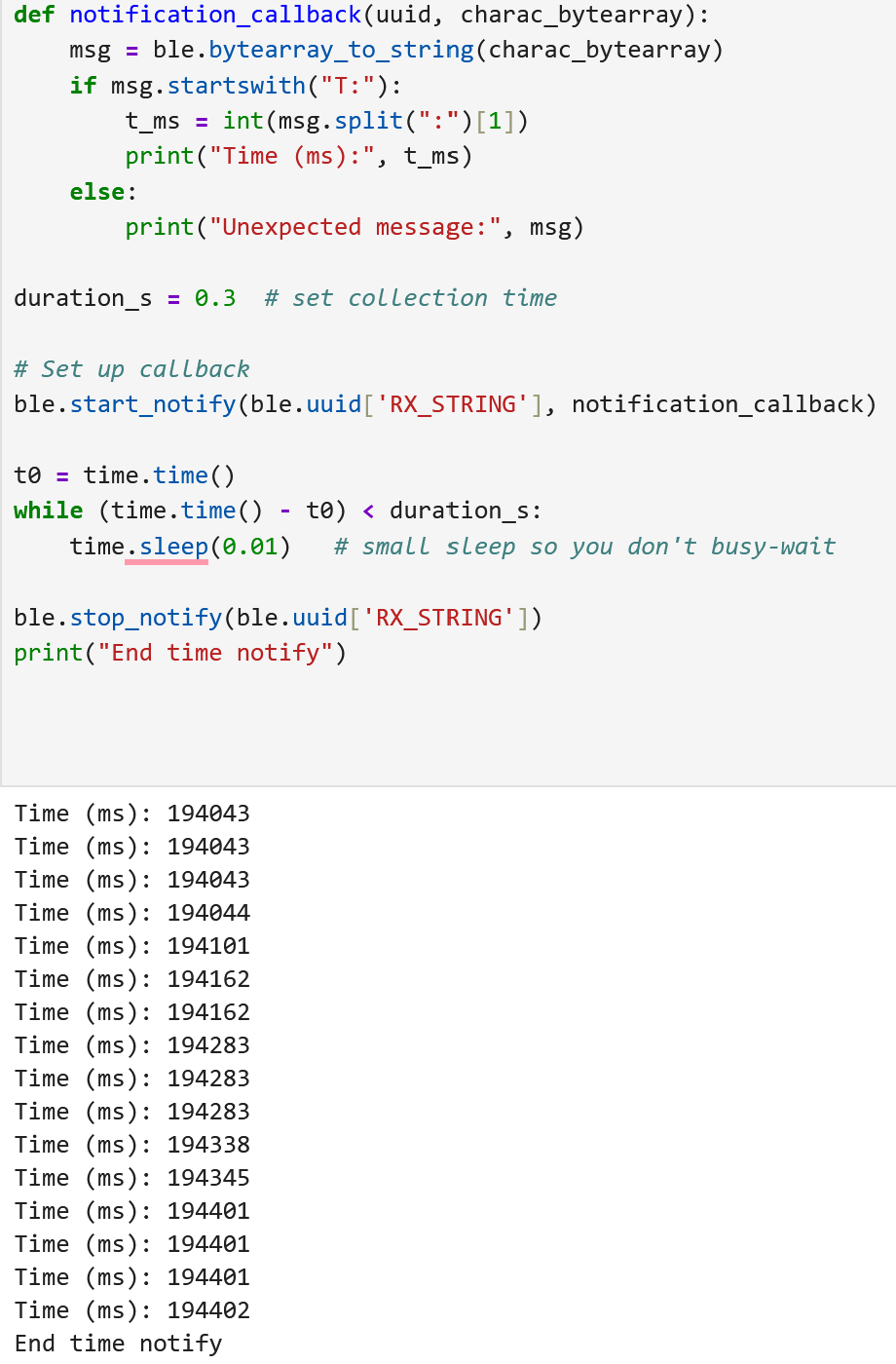
With the basics of being able to send and recieve data done, the next task was to set up a notification handler in Python. The purpose of this task was so the Artemis could put a value on the BLEStringCharactersitic at any time, and the Python code would automatically recieve the value without having to command the Artemis. To start, the handler received the time similar to the GET_TIME_MILLIS command, and extracts the time. The next section will discuss the Artemis posting notifications. I tested the handler by making a simple function that would transmit the current time once during every loop() to verify that the handler received it. Figure 9 shows the data being received in Jupyter. I was also asked to calculate the data transfer rate.
Each timestamp message is approximately 8-10 bytes (e.g., T:123456). Over 0.3 seconds, I received around 16 messages:
(All the messages that I tested with were 8 bytes, but if the microcontroller was running for a long time, then it could be larger, so this is a more conservative estimate).
Notification Handler Code (click to expand)
def notification_callback(uuid, charac_bytearray):
    msg = ble.bytearray_to_string(charac_bytearray)
    if msg.startswith("T:"):
        t_ms = int(msg.split(":")[1])
        print("Time (ms):", t_ms)
    else:
        print("Unexpected message:", msg)

duration_s = 0.3  # set collection time

# Set up callback
ble.start_notify(ble.uuid['RX_STRING'], notification_callback)

t0 = time.time()
while (time.time() - t0) < duration_s:
    time.sleep(0.01)   # small sleep so you don't busy-wait

ble.stop_notify(ble.uuid['RX_STRING'])
print("End time notify")
Code called in loop() to collect and send time continuously
void send_time(){
  char char_arr[MAX_MSG_SIZE];

  snprintf(char_arr, MAX_MSG_SIZE, "T:%lu", millis());

  tx_estring_value.clear();
  tx_estring_value.append(char_arr);
  tx_characteristic_string.writeValue(tx_estring_value.c_str());
}

void loop(){
  //Other code ommited for brevity
  while (central.connected()) {
      BLE.poll();
      // Send data
      write_data();

      // Read data
      read_data();

      // Send current time
      send_time();
  }

}
6. Time Stamp Array
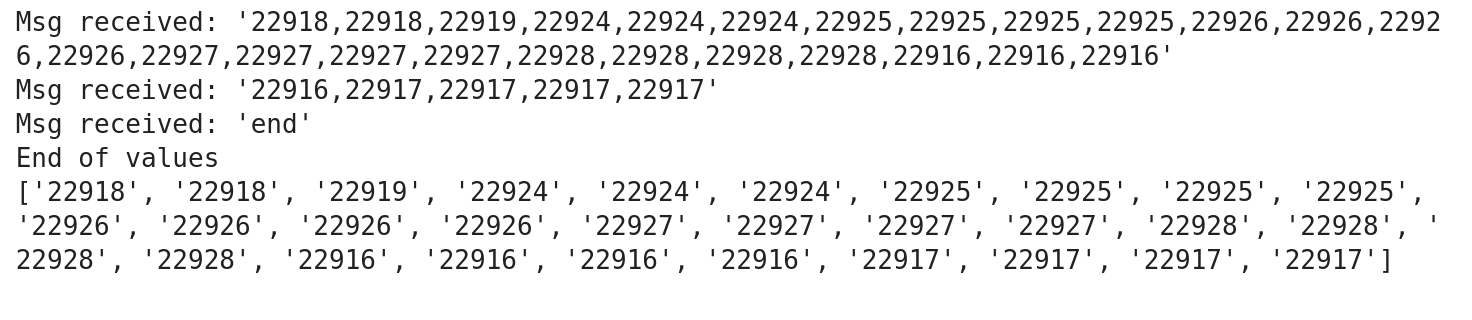
With the notifcation handler in place, it was time to have the Artemis post data to the BLEStringCharactersitic. The task was to create a global array that stores timestamps. In the loop(), the Artemis would collect the current time and add it to the array. Eventually, I would send a SEND_TIME_DATA command which would tell the Artemis to transmit the timestamp array over Bluetooth using the BLEStringCharactersitic. Sending that command would cause the Artemis to compile the timestamps into an array to transmit. If there were more timestamps than could be transmitted, the Artemis would make a partial array of the data, transmit it, and then construct another array and transmit it. It would repeat that process until all the data was transmitted, where it would then send an end message to let Jupyter know that it was finished. Figure 10 shows two arrays being received by Jupyter with timestamps.
Timestamp Array Code (click to expand)
Artemis code for SEND_TIME_DATA
#define TIME_ARR_SIZE 10
unsigned long time_values[TIME_ARR_SIZE];

case SEND_TIME_DATA: {

  Serial.println("Sending time data!");

  EString temp_string = EString();
  int tx_result = -1;

  for(int i = 0; i < TIME_ARR_SIZE; i++){
      char value_str[20];
      snprintf(value_str, sizeof(value_str), "%lu", time_values[i]);

      // Check if adding this value would exceed MAX_MSG_SIZE
      // Account for comma separator and null terminator
      int needed_len = strlen(value_str) + (temp_string.get_length() > 0 ? 1 : 0);

      if (temp_string.get_length() + needed_len >= MAX_MSG_SIZE - 1) {
          // Send current packet before it overflows
          tx_result = tx_characteristic_string.writeValue(temp_string.c_str());
          Serial.print("Sent packet: ");
          Serial.println(temp_string.c_str());

          // Small delay to allow BLE stack to process
          delay(10);

          // Reset for next packet
          temp_string.clear();
      }

      // Add comma if not first item in current packet
      if (temp_string.get_length() > 0) {
          temp_string.append(",");
      }
      temp_string.append(value_str);
  }

  // Send any remaining data
  if (temp_string.get_length() > 0) {
      tx_result = tx_characteristic_string.writeValue(temp_string.c_str());
      Serial.print("Sent packet: ");
      Serial.println(temp_string.c_str());
      delay(10);
  }

  // Send end marker
  tx_result = tx_characteristic_string.writeValue("end");
  Serial.print("Serial Transmission Result: ");
  Serial.println(tx_result);
  Serial.println("Finished sending array");

  break;
}
Python code for time array notification handler
done = threading.Event()
time_values = []

def time_array_notification_callback(uuid, data: bytearray):
    msg = ble.bytearray_to_string(data).strip()
    print("Msg received:", repr(msg))

    parts = [p.strip() for p in msg.split(",") if p.strip()]
    if parts and parts[-1].lower() == "end":
        time_values.extend(parts[:-1])
        print("End of values")
        done.set()
        return
    time_values.extend(parts)

def get_time_data(timeout_s=10.0):
    time_values.clear()
    done.clear()

    # send command (NO await)
    ble.send_command(CMD.SEND_TIME_DATA, "")

    t0 = time.time()
    while not done.is_set() and (time.time() - t0) < timeout_s:
        ble.sleep(0.01)

    if not done.is_set():
        print("Timeout reached.")
    return list(time_values)

# start notify
try:
    ble.start_notify(ble.uuid['RX_STRING'], time_array_notification_callback)
except Exception as e:
    if "Notify acquired" in str(e):
        print("Notify already active; continuing.")
time.sleep(0.2)

vals = get_time_data()
print(vals)

try:
    ble.stop_notify(ble.uuid['RX_STRING'])
except Exception as e:
    print("Failed to stop notifications with exception: ", e)
7. Temperature Array
Once the timestamp array was working, I then had to add a second global array to the program. This array collected temperatures from the on board temperature sensor, and was the same size as the timestamp array. The idea was that every time I collected a timestamp, I also collected a temperature. I then used the GET_TEMP_READINGS in the same way that SEND_TIME_DATA worked. I now would send each timestamp and temperature as a pair, and then the Python server had to parse them and put each in their own array.

Temperature Array Code (click to expand)
Artemis Temperature reading code
case GET_TEMP_READINGS: {
  Serial.println("Sending temp readings");

  EString temp_string = EString();
  int tx_result = -1;

  for(int i = 0; i < TIME_ARR_SIZE; i++){
      char value_str[30];
      snprintf(value_str, sizeof(value_str), "%lu:%d", time_values[i], temp_values[i]);

      // Check if adding this value would exceed MAX_MSG_SIZE
      // Account for comma separator and null terminator
      int needed_len = strlen(value_str) + (temp_string.get_length() > 0 ? 1 : 0);

      if (temp_string.get_length() + needed_len >= MAX_MSG_SIZE - 1) {
          // Send current packet before it overflows
          tx_result = tx_characteristic_string.writeValue(temp_string.c_str());
          Serial.print("Sent packet: ");
          Serial.println(temp_string.c_str());

          // Small delay to allow BLE stack to process
          delay(10);

          // Reset for next packet
          temp_string.clear();
      }

      // Add comma if not first item in current packet
      if (temp_string.get_length() > 0) {
          temp_string.append(",");
      }
      temp_string.append(value_str);
  }

  // Send any remaining data
  if (temp_string.get_length() > 0) {
      tx_result = tx_characteristic_string.writeValue(temp_string.c_str());
      Serial.print("Sent packet: ");
      Serial.println(temp_string.c_str());
      delay(10);
  }

  // Send end marker
  tx_result = tx_characteristic_string.writeValue("end");
  Serial.print("Serial Transmission Result: ");
  Serial.println(tx_result);
  Serial.println("Finished sending array");

  break;
}

void collect_time(){

    if(time_index < TIME_ARR_SIZE) {
        time_values[time_index] = millis();
        //Serial.print("Collected time at t: ");
        //Serial.println(time_values[time_index]);
        time_index++;
    } else { // Overflows start overwriting old data
        time_index = 0;
        time_values[time_index] = millis();
        //Serial.println("Time values overflowed");
    }

}

void collect_temps(){
    collect_time(); //Collect time so it corresponds to the temp
    if(temp_index < TIME_ARR_SIZE) {
        temp_values[temp_index] = getTempDegC();
        //Serial.print("Collected time at t: ");
        //Serial.println(time_values[time_index]);
        temp_index++;
    } else { // Overflows start overwriting old data
        temp_index = 0;
        temp_values[temp_index] = getTempDegC();
        //Serial.println("Time values overflowed");
    }
}

void loop(){
  // Other code
  if (central) {
        Serial.print("Connected to: ");
        Serial.println(central.address());

        // While central is connected
        while (central.connected()) {
            BLE.poll();
            // Send data
            write_data();

            // Read data
            read_data();

            // Collect temps with times
            collect_temps();

        }

        Serial.println("Disconnected");
    }
}
Python code for temperature array
done = threading.Event()
time_values = []
temp_values = []

def temp_array_notification_callback(uuid, data: bytearray):
    msg = ble.bytearray_to_string(data).strip()
    print("Msg received:", repr(msg))

    parts = [p.strip() for p in msg.split(",") if p.strip()]
    for token in parts:
        if token.lower() == "end":
            print("End of values")
            done.set()
            return

        try:
            time_str, t_str = token.split(":", 1)
            temp_values.append(int(t_str))
            time_values.append(int(time_str))
        except ValueError:
            print("Bad token:", repr(token))

def get_temp_data(timeout_s=10.0):
    time_values.clear()
    temp_values.clear()
    done.clear()

    # send command (NO await)
    ble.send_command(CMD.GET_TEMP_READINGS, "")

    t0 = time.time()
    while not done.is_set() and (time.time() - t0) < timeout_s:
        ble.sleep(0.01)

    if not done.is_set():
        print("Timeout reached.")
    return list(temp_values), list(time_values)

# start notify
try:
    ble.start_notify(ble.uuid['RX_STRING'], temp_array_notification_callback)
except Exception as e:
    if "Notify acquired" in str(e):
        print("Notify already active; continuing.")
time.sleep(0.2)

temp_vals, time_vals = get_temp_data()

print("Temp array length: ", len(temp_values))
print("Time array length: ", len(time_values))
print("Temp values: ",temp_vals)
print("Time values:", time_vals)

try:
    ble.stop_notify(ble.uuid['RX_STRING'])
except Exception as e:
    print("Failed to stop notifications with exception: ", e)
8. Notification Reciever Differences
The advantage of the first method of sending notifications, by repeatedly sending them, has the advantage of delivering data quicker. Instead of storing the times in an array, it just instantly transmits the time on an interval. If you needed the time immediatly, this would be the method to use. However, I think that it dropped some packets. Not ideal for mission critical data if that data can wait a bit. My second method of sending larger arrays ensures that data will arrive, or at least the Python program will be able to figure out if some data didn’t, if the end message didn’t get received. One modification that I might make in the future is adding the packet number in the packet, so the Python can figure out if a packet was dropped. One other disadvantage of this method is that it uses more RAM, which is in short supply on this board. An Unsigned Long which millis() returns is 32-bits. We can calculate how many longs we could store in the 384kB of RAM that the Artemis has like this:
However, this assumes that the only thing stored in RAM is unsigned longs. Realisticially, we will be storing lots of other data, which will make this number smaller.
Additional Tasks (5000-level)
1. Effective Data Rate and Overhead
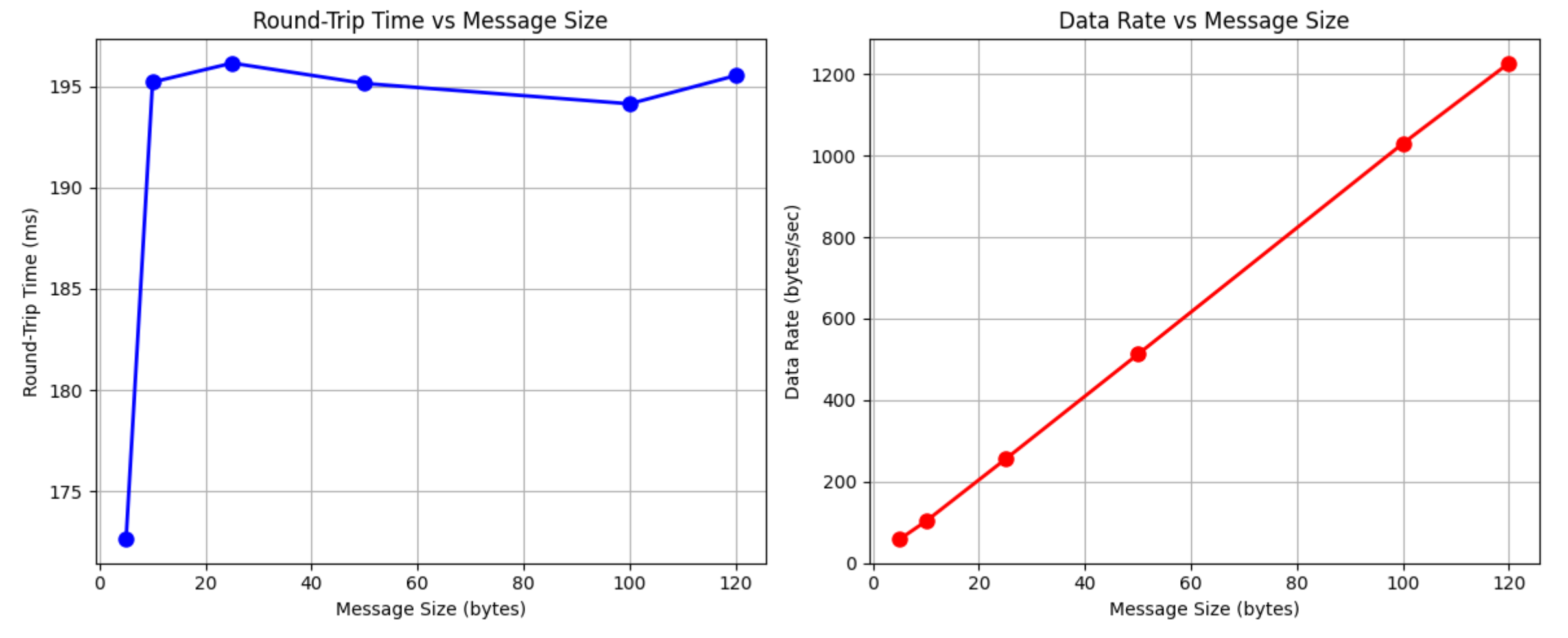
To calculate the effective data rate, I built a DATA_RATE command for the Artemis. The command would just send the size of a message for the Artemis to respond with. In Jupyter, I sent six different byte sizes: 5, 10, 25, 50, 100, 120. I would record the time that I sent the command, and when I received a message in the notification callback. The times were all recorded using python to make sure that they were consistent, and since we care about the data rate from a computer to the Artemis. I added a delay between sending each message to make sure there was enough time to send and recieve the message. The results are shown in Figure 12, with both the amount of time in ms that it took to send and recieve a message, and the data rate vs message size.
Looking at Figure 12, the 5 byte packet had the lowest data rate, but it also had the shortest round trip time. That seems to be because it is the first message, if I added a 1 byte messsage before the 5 byte packet, the 5 byte would jump to around 195 ms like all the other values. It seems like all the packets have a similar amount of overhead, so the longer packets have a higher data rate because they transmit more information in the same amount of time, reducing the overhead. I think the overhead comes from the Bluetooth protocol and negotiating communication.
Data Rate Code (click to expand)
Artemis data rate code
case DATA_RATE: {
  int byte_size;

  // Extract first float from command string
  success = robot_cmd.get_next_value(byte_size);
  if (!success)
      return;

  // Clamp to valid range
  if (byte_size >= MAX_MSG_SIZE) {
      byte_size = MAX_MSG_SIZE - 1;
  }

  // Fast string construction using memset
  char reply[MAX_MSG_SIZE];
  memset(reply, 'X', byte_size);
  reply[byte_size] = '\0';  // Null terminate

  // Send the message
  tx_characteristic_string.writeValue(reply);

  // Force immediate transmission
  BLE.poll();

  Serial.print("Sent ");
  Serial.print(byte_size);
  Serial.println(" byte reply");

  break;
}
Python code for data rate
# Code generated by AI
msg_sizes = [5, 10, 25, 50, 100, 120]
transmit_times = {}
received_data = []

def data_rate_callback(uuid, data: bytearray):
    msg = ble.bytearray_to_string(data).strip()
    rx_time = time.perf_counter()
    size = len(msg)
    received_data.append((rx_time, size))
    print(f"Callback: len={size}")

# Start notify
try:
    ble.start_notify(ble.uuid['RX_STRING'], data_rate_callback)
except Exception as e:
    if "Notify acquired" in str(e):
        print("Notify already active; continuing.")

time.sleep(1.0)
received_data.clear()

# Send all requests, recording transmit times by size
for size in msg_sizes:
    print(f"Sending request for {size} bytes...")
    transmit_times[size] = time.perf_counter()
    ble.send_command(CMD.DATA_RATE, str(size))
    time.sleep(0.1)  # Short delay between sends

# Send a dummy request immediately to flush the last real response
print("Sending dummy request to flush...")
ble.send_command(CMD.DATA_RATE, "1")
time.sleep(1.0)  # Wait for all responses

# Stop notifications
try:
    ble.stop_notify(ble.uuid['RX_STRING'])
except Exception as e:
    print("Failed to stop notifications")

# Debug output
print(f"\nReceived {len(received_data)} responses")
for rx_time, size in received_data:
    print(f"  Size: {size}")

# Match received responses to transmit times by size
# Filter out the dummy response (size 1)
results = []
for rx_time, size in received_data:
    if size in transmit_times and size in msg_sizes:
        rtt = rx_time - transmit_times[size]
        results.append((size, rtt))

# Sort by size
results.sort(key=lambda x: x[0])

# Display results
print("\n--- Data Rate Results ---")
actual_sizes = []
round_trip_times = []
data_rates = []

for size, rtt in results:
    one_way = rtt / 2
    rate = size / one_way
    actual_sizes.append(size)
    round_trip_times.append(rtt * 1000)
    data_rates.append(rate)
    print(f"{size:3d} bytes: RTT = {rtt*1000:.2f} ms, "
          f"One-way = {one_way*1000:.2f} ms, "
          f"Data rate = {rate:.2f} bytes/sec")

# Plot
if len(results) > 0:
    fig, (ax1, ax2) = plt.subplots(1, 2, figsize=(12, 5))

    ax1.plot(actual_sizes, round_trip_times, 'bo-', linewidth=2, markersize=8)
    ax1.set_xlabel('Message Size (bytes)')
    ax1.set_ylabel('Round-Trip Time (ms)')
    ax1.set_title('Round-Trip Time vs Message Size')
    ax1.grid(True)

    ax2.plot(actual_sizes, data_rates, 'ro-', linewidth=2, markersize=8)
    ax2.set_xlabel('Message Size (bytes)')
    ax2.set_ylabel('Data Rate (bytes/sec)')
    ax2.set_title('Data Rate vs Message Size')
    ax2.grid(True)

    plt.tight_layout()
    plt.savefig('ble_data_rate.png')
    plt.show()
2. Reliability
Sending lots of data at a high rate is not very reliable from my experience. For my first version of the notifications and SEND_TIME_DATA, I tried sending each time as its own message in a for loop. This failed spectacularly. I missed most of the messages, even with a small delay after sending a message. Thats why I moved to combining the array into one or multiple bigger packets. With that being said, I am sure that there is a way to stream data over Bluetooth. Bluetooth is used for wireless earbuds after all, which means that it must have a streaming mechanism built in. I think that implementation is more complicated than what I was doing, which is why I missed so many packets. Or maybe wireless buds miss packets occasionally, and people don’t notice, but I doubt that.
Collaboration
For this lab, I didn’t work with any other students. I did reference multiple previous students web pages, but just to get an idea of what their lab reports looked like, not for the technical content. I also used AI for some code debugging and help building the website, and to generate the Python code for the effective data rate problem based on my older code.